twinstudio General Features
ID Generator
You can specify generator patterns for several ID types:
- Global Asset ID
- Shell/AAS ID (aka Twin ID)
- Submodel ID
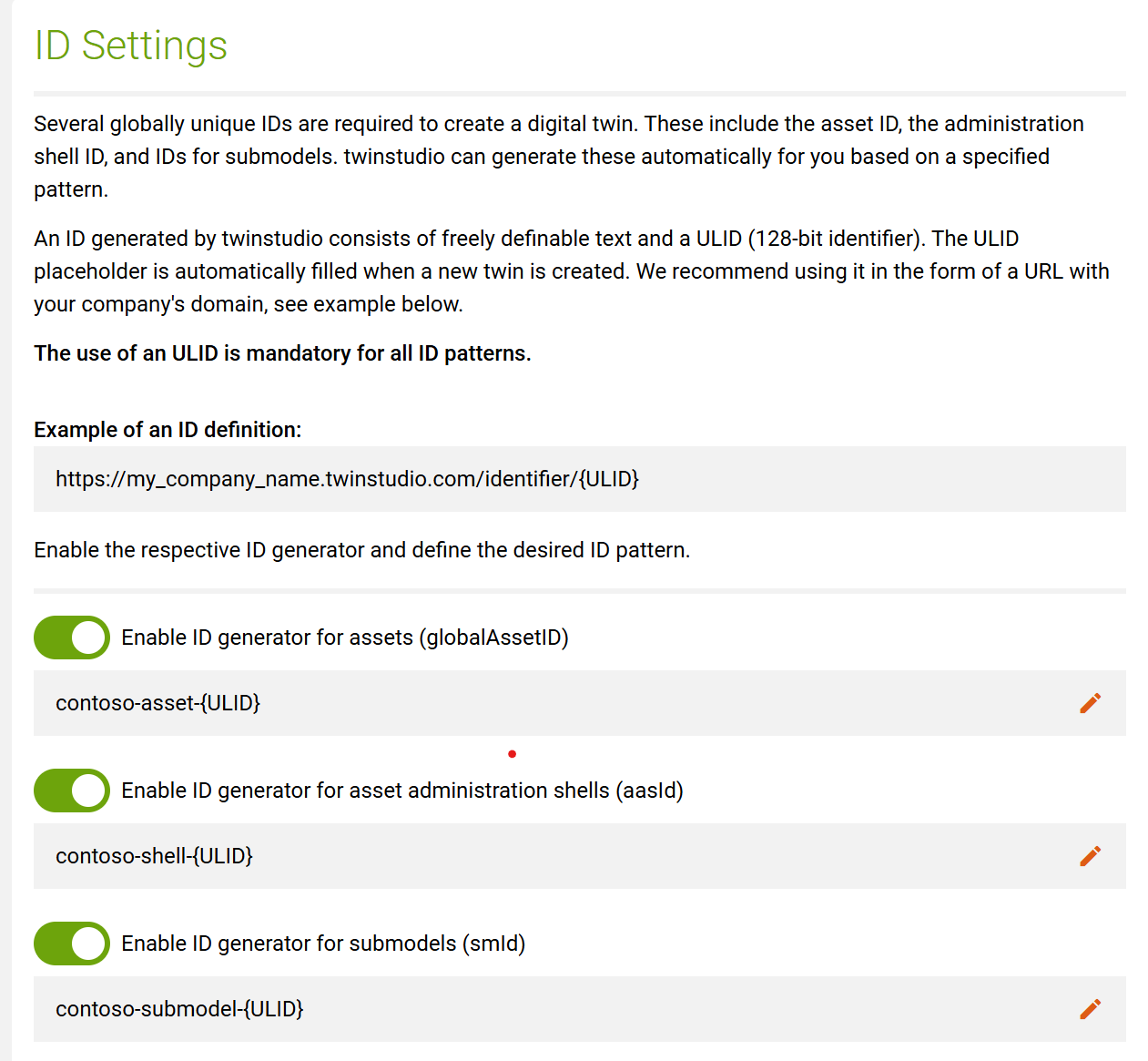
If set respective IDs are automatically generated when needed (mainly on twin and submodel creation) and
twinstudio will not ask you to manually fill-in IDs anymore.
Generally the {ULID} token has to be used trying to ensure a unique ID. If the globalAssetId is active
it is possible to use {ASSET-ULID} instead of {ULID} for the aasId and if you use this and generate
a new twin the globalAssetId and the aasId will contain the same generated ulid.
ID patterns have tenant scope
The ID generator patterns are applied at the tenant level, not just to your user account. They are centrally stored in twinstudio. So other users will automatically create IDs according to the specified pattern when they are logged in to the relevant tenant.
Language Settings
twinstudio supports the following languages for its user interface:
- German
- English
Furthermore you may set a preferred languages to represent the data content of your twins.
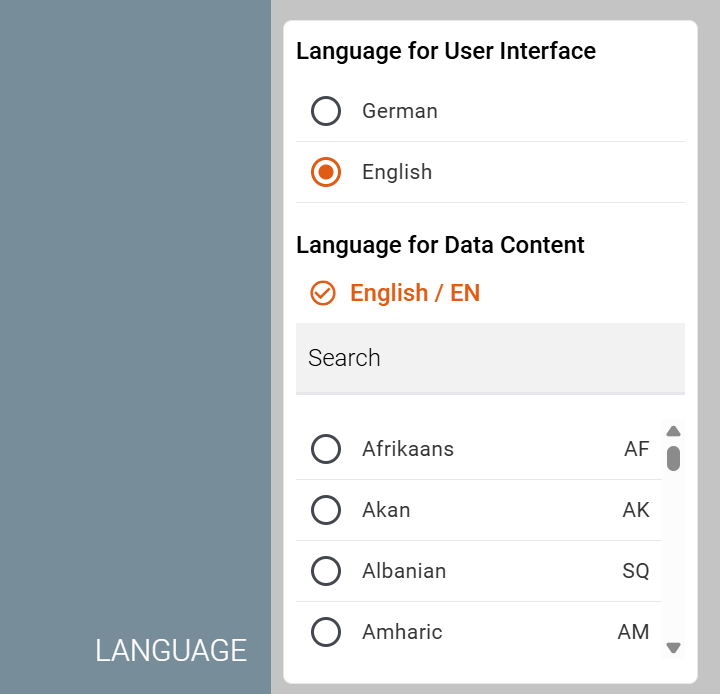
All language settings have user scope and are stored locally in your browser.
Tenant Switch
twinstudio can connect to different twinsphere cloud tenants (access rights required). The tenants are hereby grouped into organizations. You can switch the tenant in the menu.
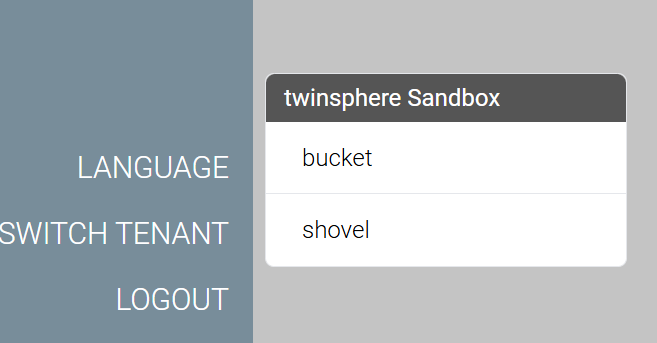
twinstudio remembers (locally in the browser) the last tenant you logged in with and automatically uses this for your next session.
Dashboard
The dashboard of twinstudio serves as an entry point to the application. You can easily switch to the twin catalog or to any other module of the application.
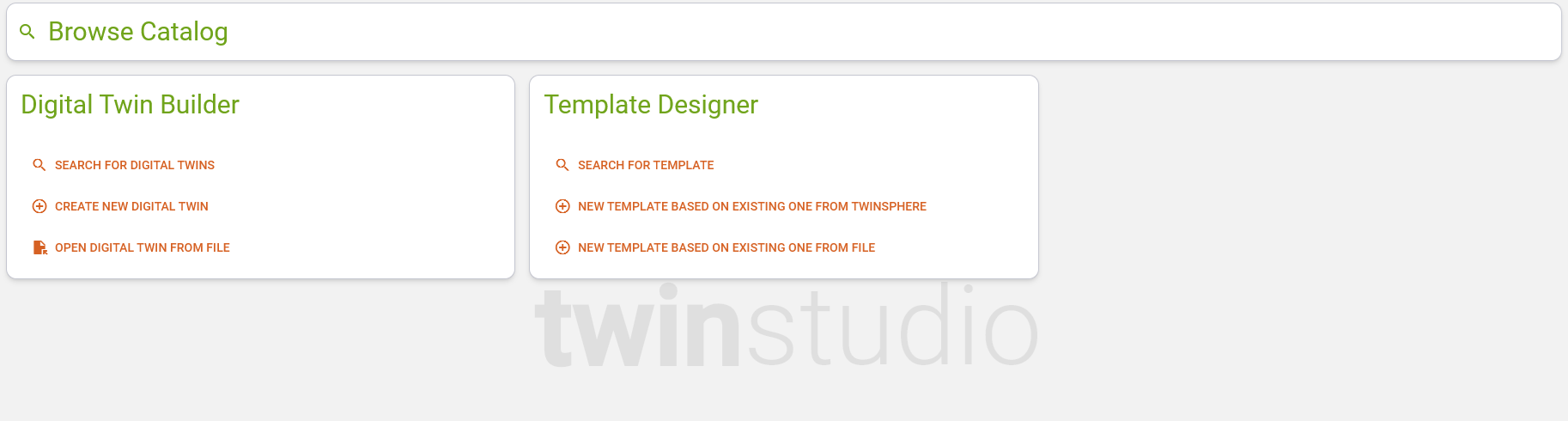
Via open digital twin from file you can upload a twin from a *.json, *.xml or *.aasx file. If the file contains multiple twins, you are presented a dialog to select the desired one. All submodels that are of type template will be filtered out and all contained files will be ignored. After the selection you will be redirected to the twinbuilder so you can start editing your twin.
Object Naming
The AAS metamodel offers various options for selecting a display name for its objects. All of these options are optional data fragments, i.e., it cannot be assumed that an object to be displayed actually has the desired information. Many of the options are also language-dependent, and it is uncertain whether data records are actually maintained for certain languages.
For twinstudio — or any user interface in this sense — a certain hierarchy of fallbacks is required to determine the best option for naming the respective object. This is the only way to ensure, regardless of data quality, that a object name is available at all, which ideally enables the user to recognize what they are dealing with.
In twinstudio the same object naming logic applies to the following AAS metamodel objects:
- shells
- concept descriptions
- submodels
- submodel elements
The name of those objects is determined in the following order (first available value wins):
- Object's property displayName, language value in the following order:
- studio's language setting "preferred data language"
- studio's language setting "UI language"
- language "EN"
- list index (only if object is a list element of a submodel list)
- Object's property idShort
- Object's property id
- Object's Propropertyperty displayName, first existing value (can be of any language)
- "Unknown Property" / "Unbekannte Eigenschaft"
Explanation:
- The displayName is the preferred value for each object.
- Since this is data from the twin, we first use the data language selected by the user.
- The user interface language comes second, as the user obviously understands this as well.
- The last resort is EN, which is neither the data language nor the user interface language of the user, but is nevertheless generally understood.
- A submodel list item must not have an idShort (specification v3.0) and, as an SME, it also has no id. Therefore, we use its list index as the name if no displayName is available.
- For all other objects, an idShort is recommended, although this is not mandatory. Even though it is a technical property, its value is in English in most cases and has semantic meaning. Therefore, we also consider it as a name.
- Shells, submodels, and concept descriptions must have an id, so we use this as the last resort for these objects.
- However, this does not apply to SMEs, as they do not have an id. The last option for SMEs is therefore any other existing displayName value other than those mentioned above.
- If none of these work, we use a constant for naming SMEs as a last resort.
Note
Concept Description are not yet used by twinstudio for the time being. It is planned tough to take them into consideration for determination of an object's display name as well (e.g. preferredName of the data specification).
Drafts
twinstudio is able to save your unfinished work as a so called draft. These drafts belong exclusively to the user who saved them. They cannot be accessed by anyone else. Drafts are stored in twinstudio and not in your twinsphere tenant/repository. Therefore, they may not yet be fully valid and may still contain validation errors.
Feedback
Feel free to provide feedback to the application so we can continuously improve your experience and add features that matter most to you. You can open the feedback form on the right of the screen.