Manage UI
The Manage UI is the web interface for your twinsphere organization and its tenants, available at https://manage.twinsphere.io ⧉. Sign in with your twinsphere ID.
What you see depends on your roles in the organization: organization owners manage the whole organization, while users with tenant roles only see the tenants they work with. See Roles for what each role allows.
Signing in
After signing in, you land on the organization you are a member of. If you are a member of several organizations, switch between them with the organization picker at the top of the sidebar.
If you have a twinsphere ID but no organization has invited you yet, you see the No organization assigned page. It shows your user ID; give it to an organization owner, who can then invite you.
Organization view
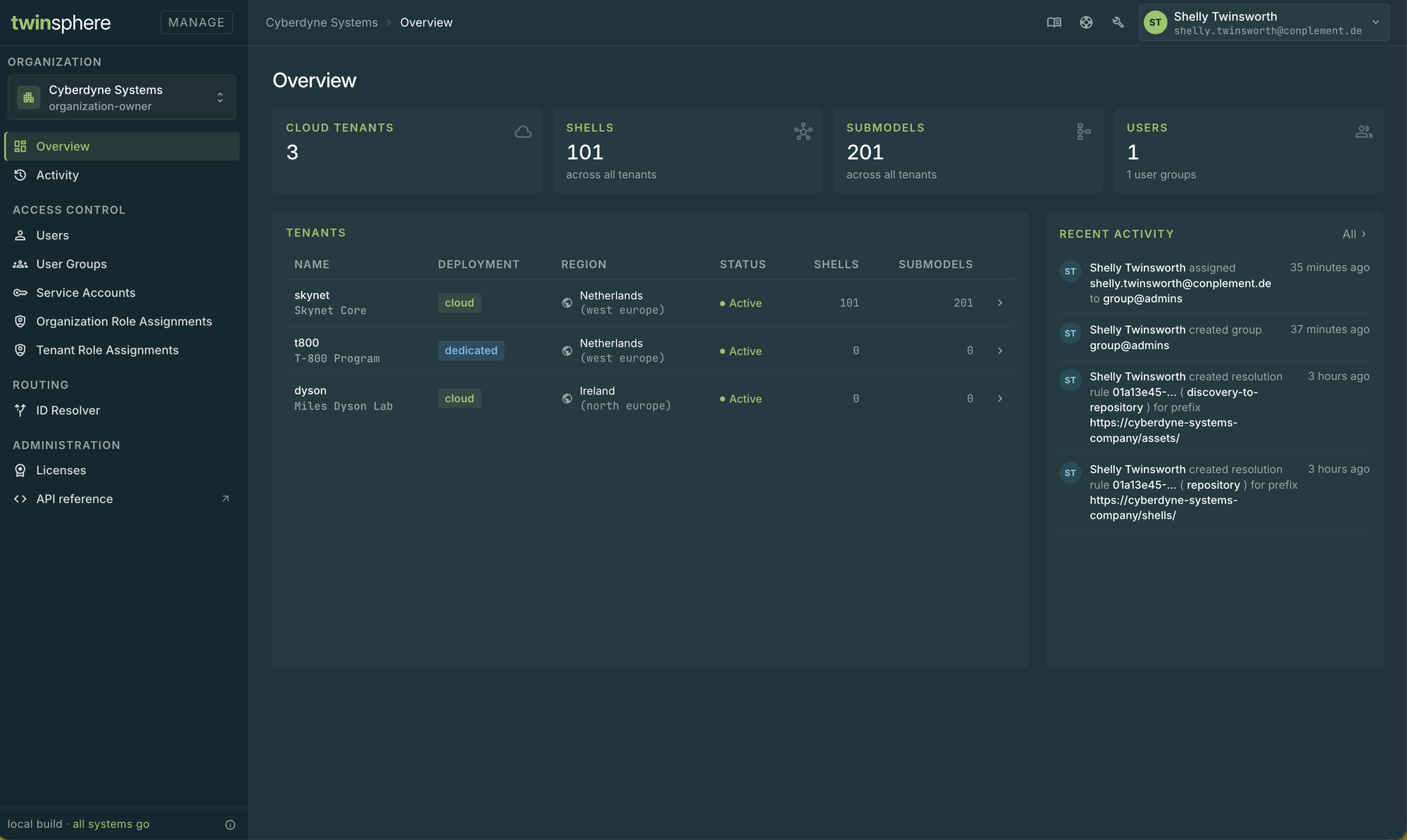
Organization owners see the organization view, with these pages in the sidebar:
| Page | What you can do |
|---|---|
| Overview | See the tenants of the organization and the latest activity, and open a tenant in the tenant view |
| Activity | Follow the changes made in the organization |
| Users | Invite and remove users |
| User Groups | Manage user groups and their members |
| Service Accounts | Create service accounts for machine-to-machine access and manage their secrets |
| Organization Role Assignments | Assign and revoke the organization level roles |
| Tenant Role Assignments | Assign and revoke the tenant roles |
| ID Resolver | Manage the ID resolution rules of your organization, see ID Resolver |
| Licenses | Review and assign licenses, see Licensing |
| API reference | Open the Management API documentation |
My Tenants
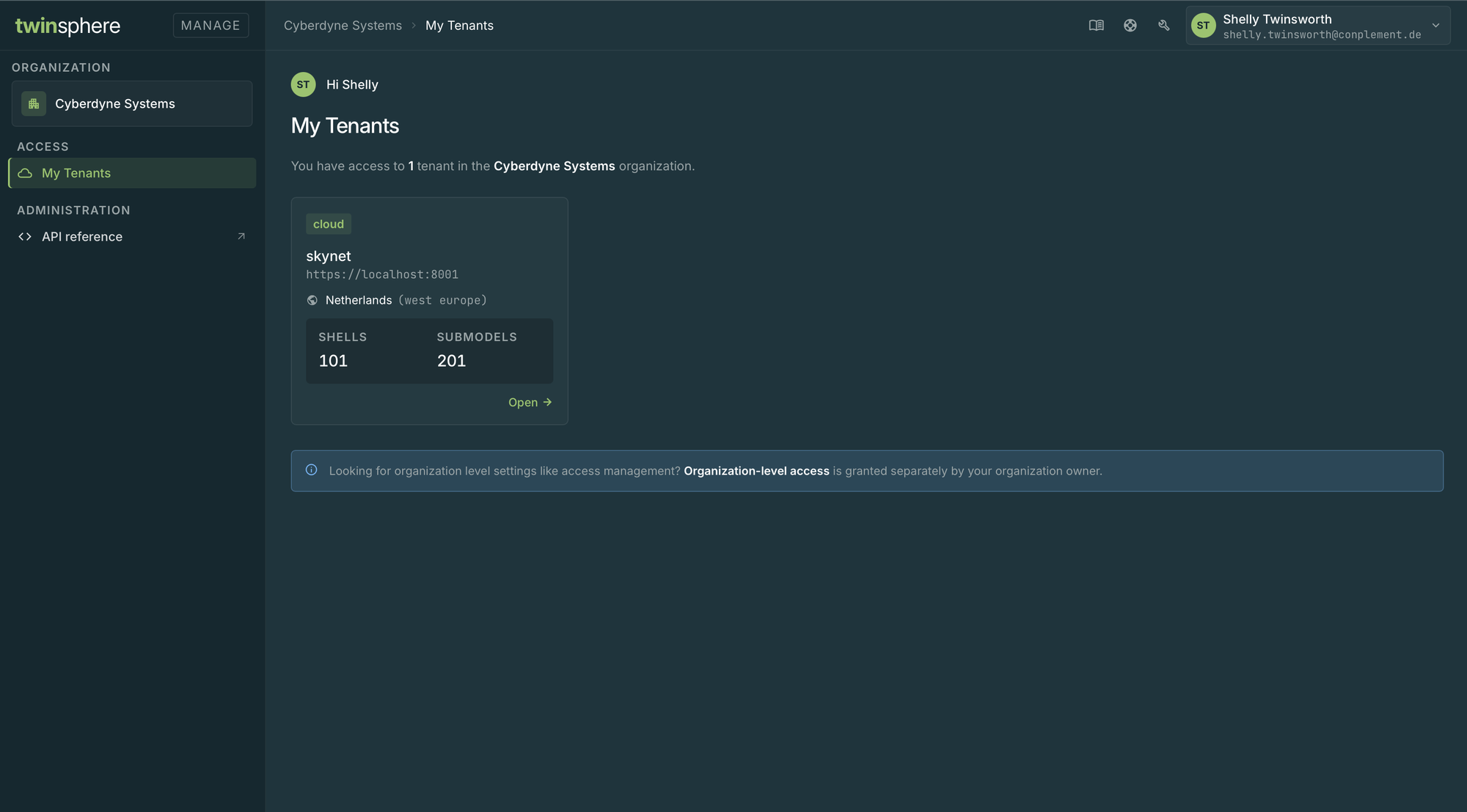
Users who only have tenant roles in the organization land on My Tenants. It lists the tenants you have access to; select one to open it in the tenant view.
Tenant view
The tenant view shows a single tenant. Open it from the organization Overview or from My Tenants. Which pages you see in it depends on your roles on the tenant, see Roles.
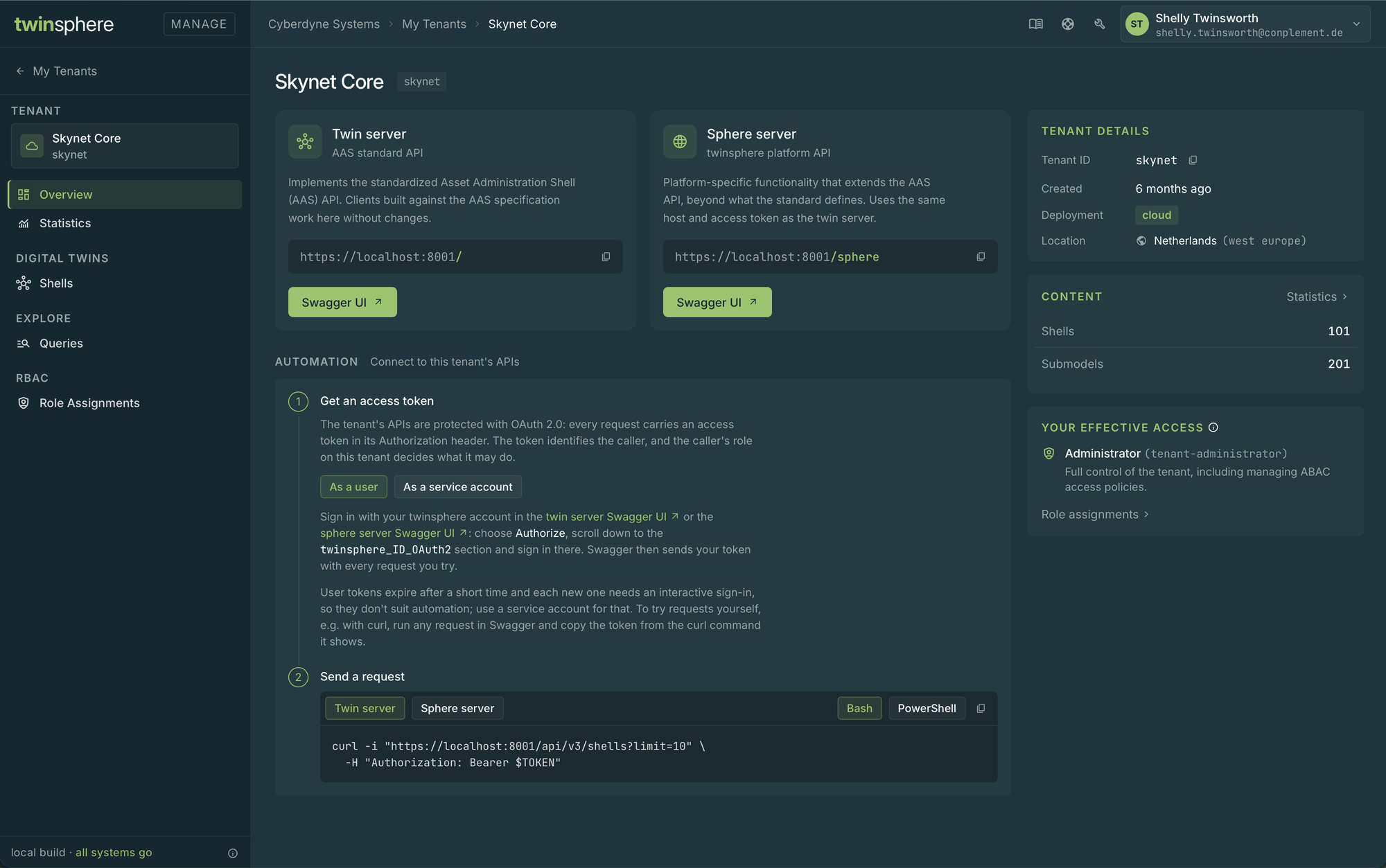
| Page | What you can do |
|---|---|
| Overview | See the tenant's details and your access to it, and learn how to connect to its APIs |
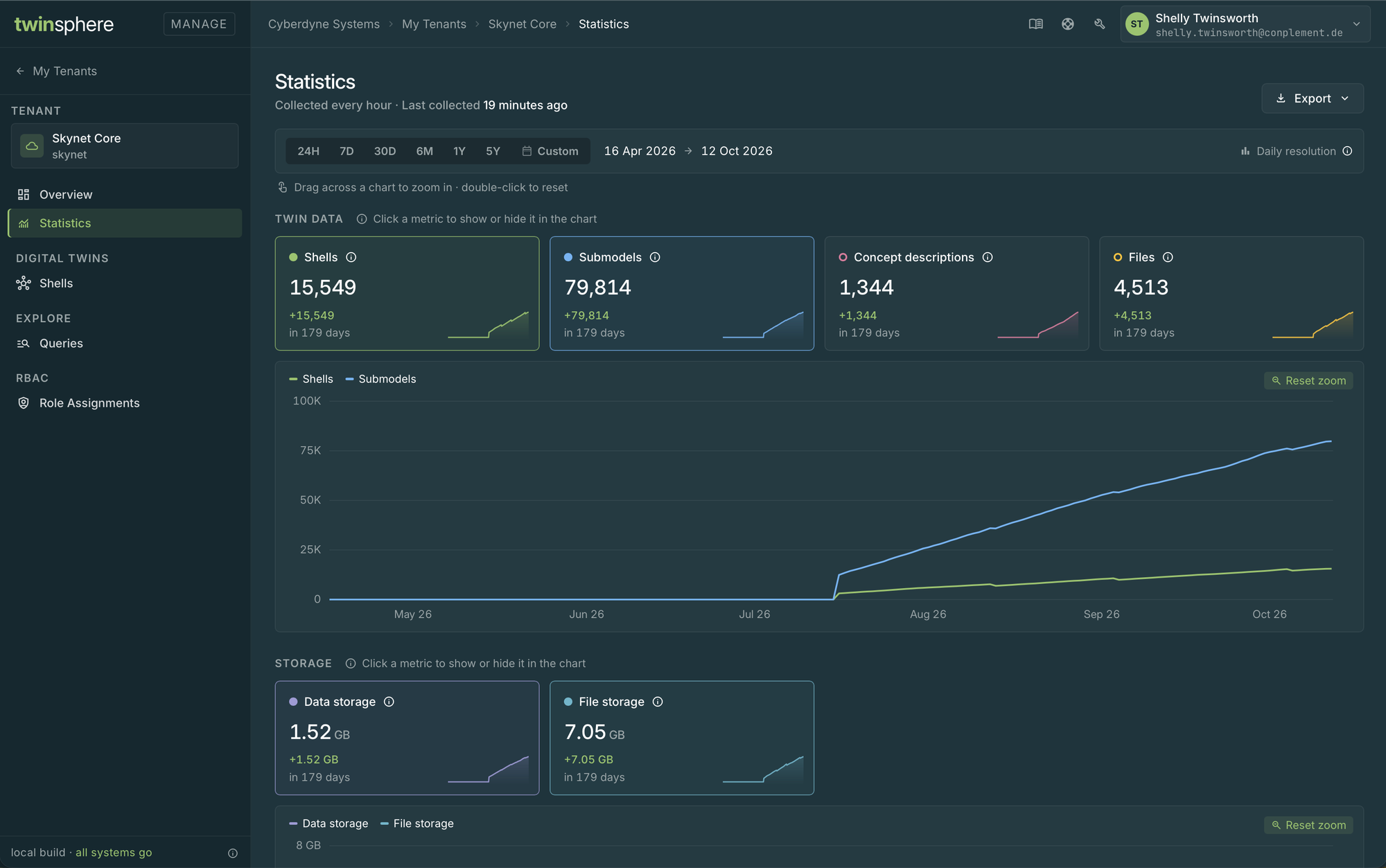
| Statistics | Follow the content and storage of the tenant over time, see Statistics |
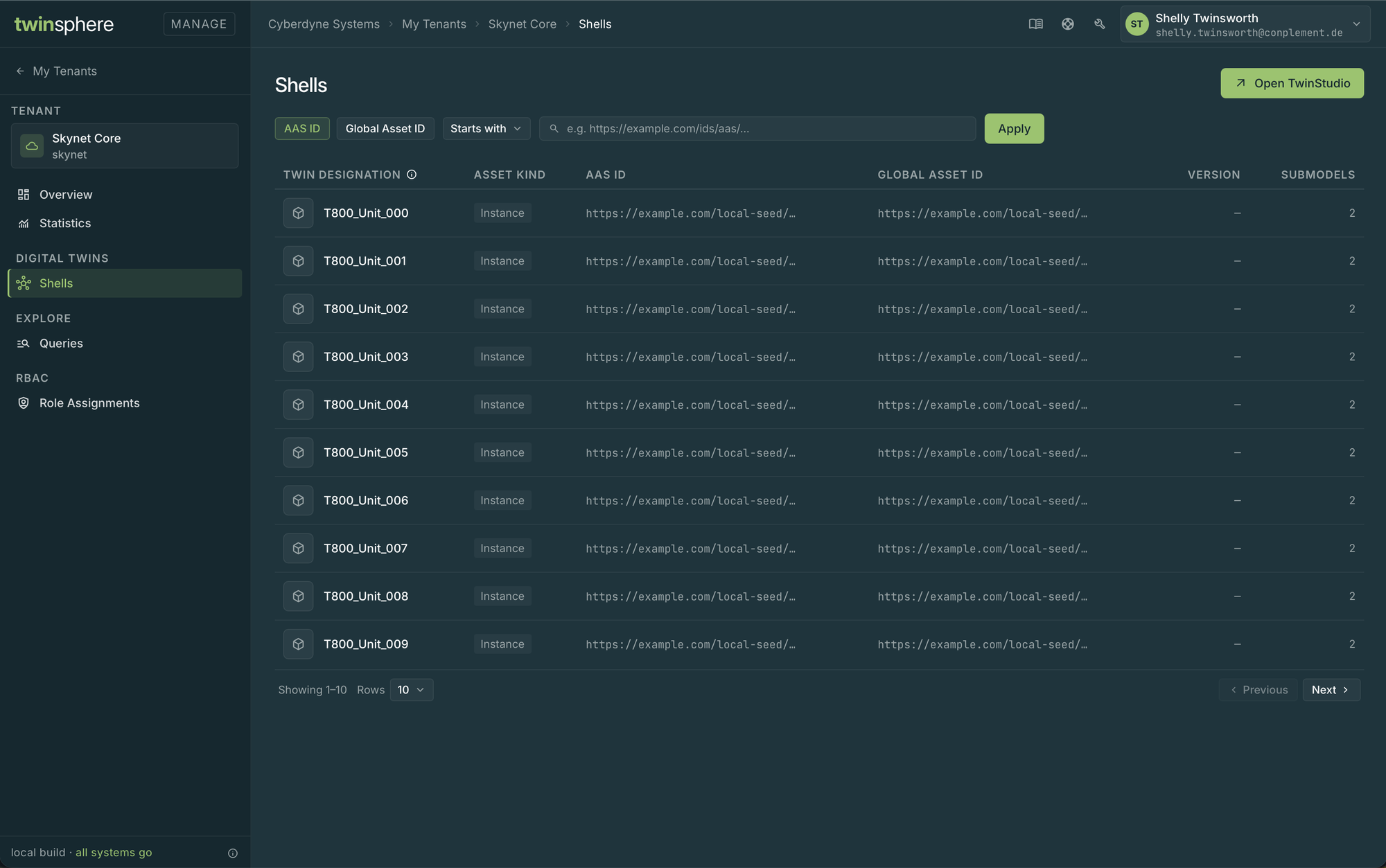
| Shells | Browse and filter the shells of the tenant |
| Queries | Run AAS Query Language queries against the tenant, see Query Language |
| Role Assignments | Assign and revoke the tenant roles of this tenant |
Statistics
Shells
Queries
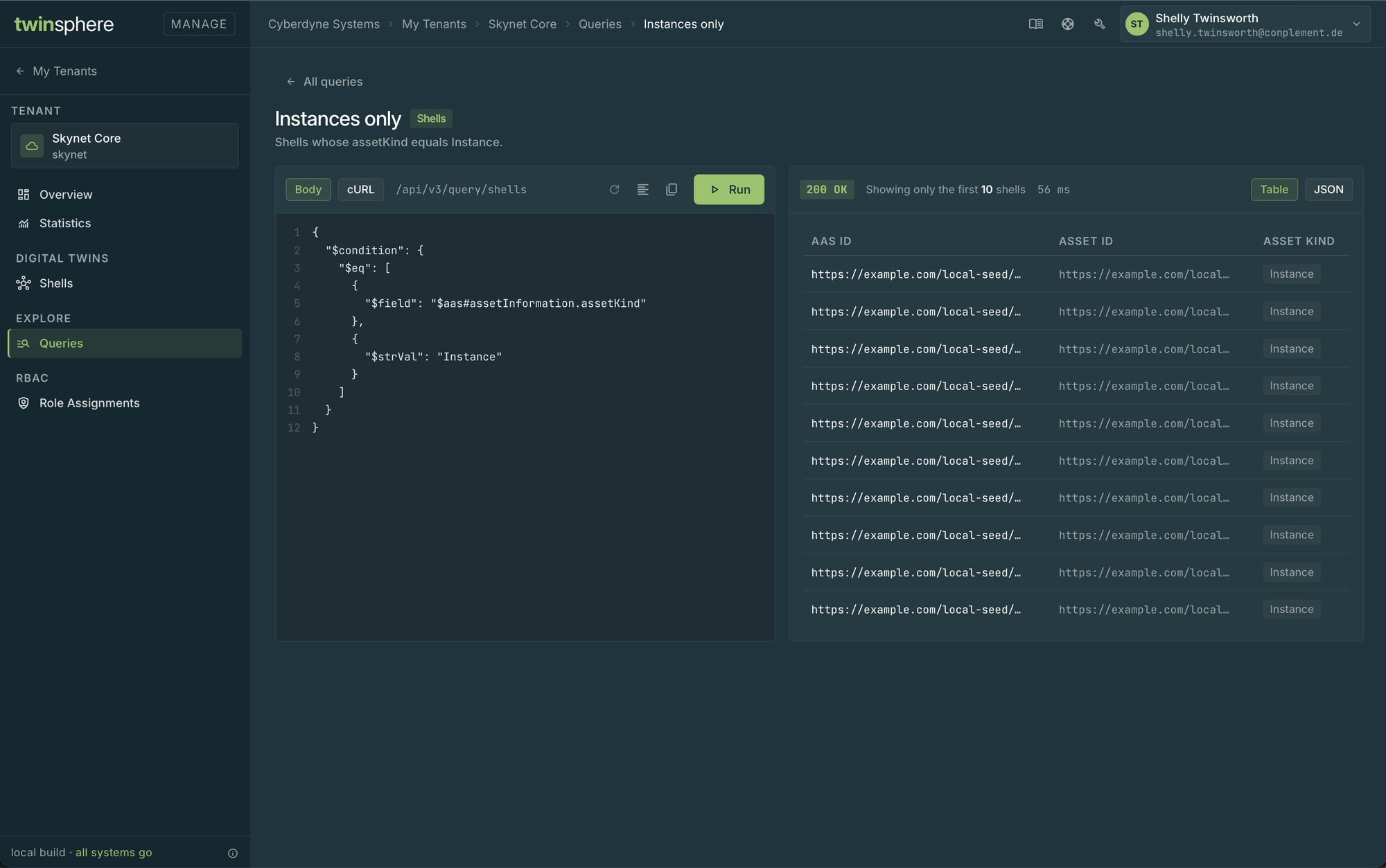
The Queries page starts with the examples of the IDTA specification:
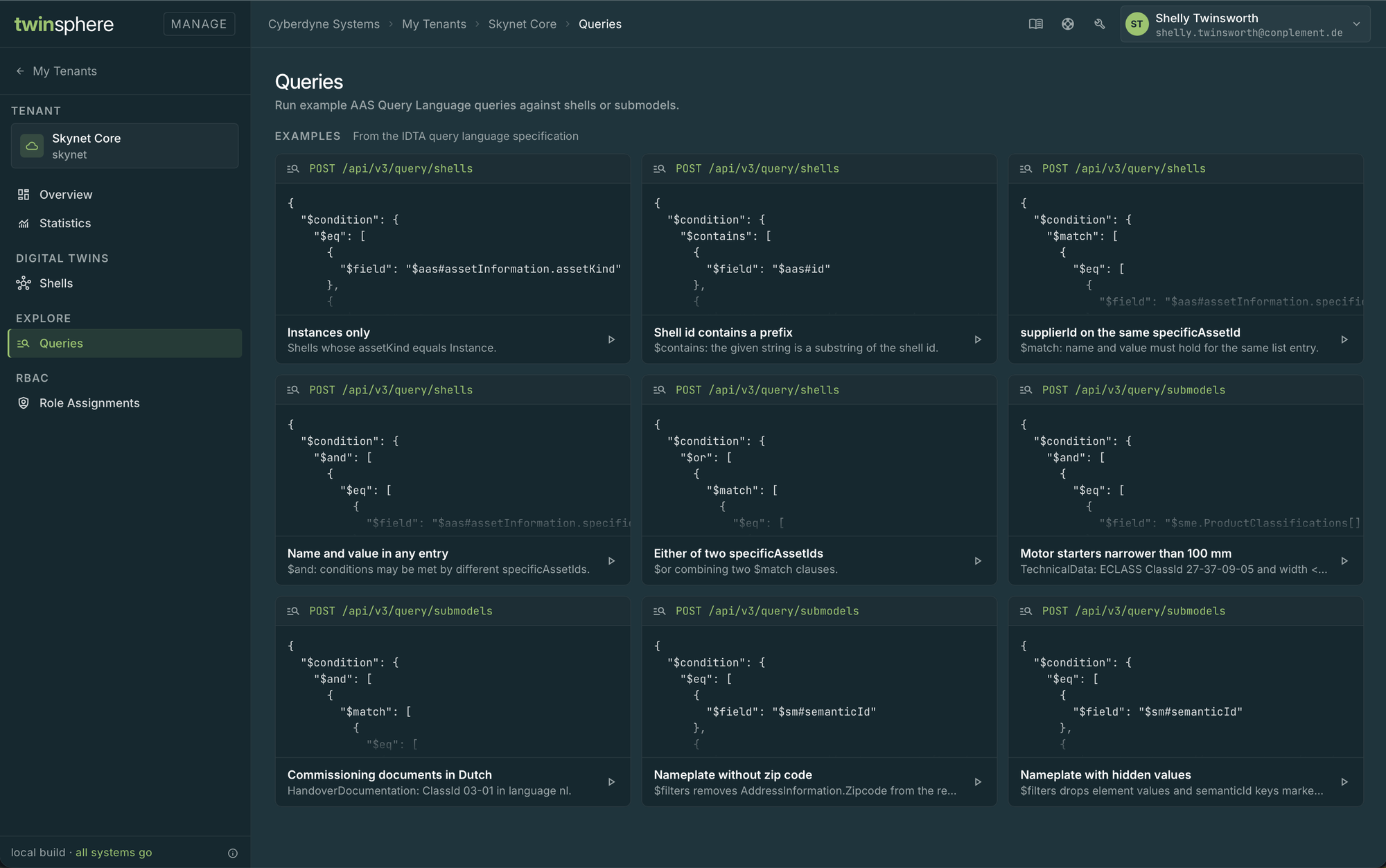
Open an example to edit and run it against the tenant: